
Introduction
When creating and maintaining content in Gutenberg, third-party Gutenberg blocks are often used.
If such blocks need to be replaced with solutions from other providers at some point, it is usually quite time-consuming to determine on which pages and in which posts these blocks are used.
Solution
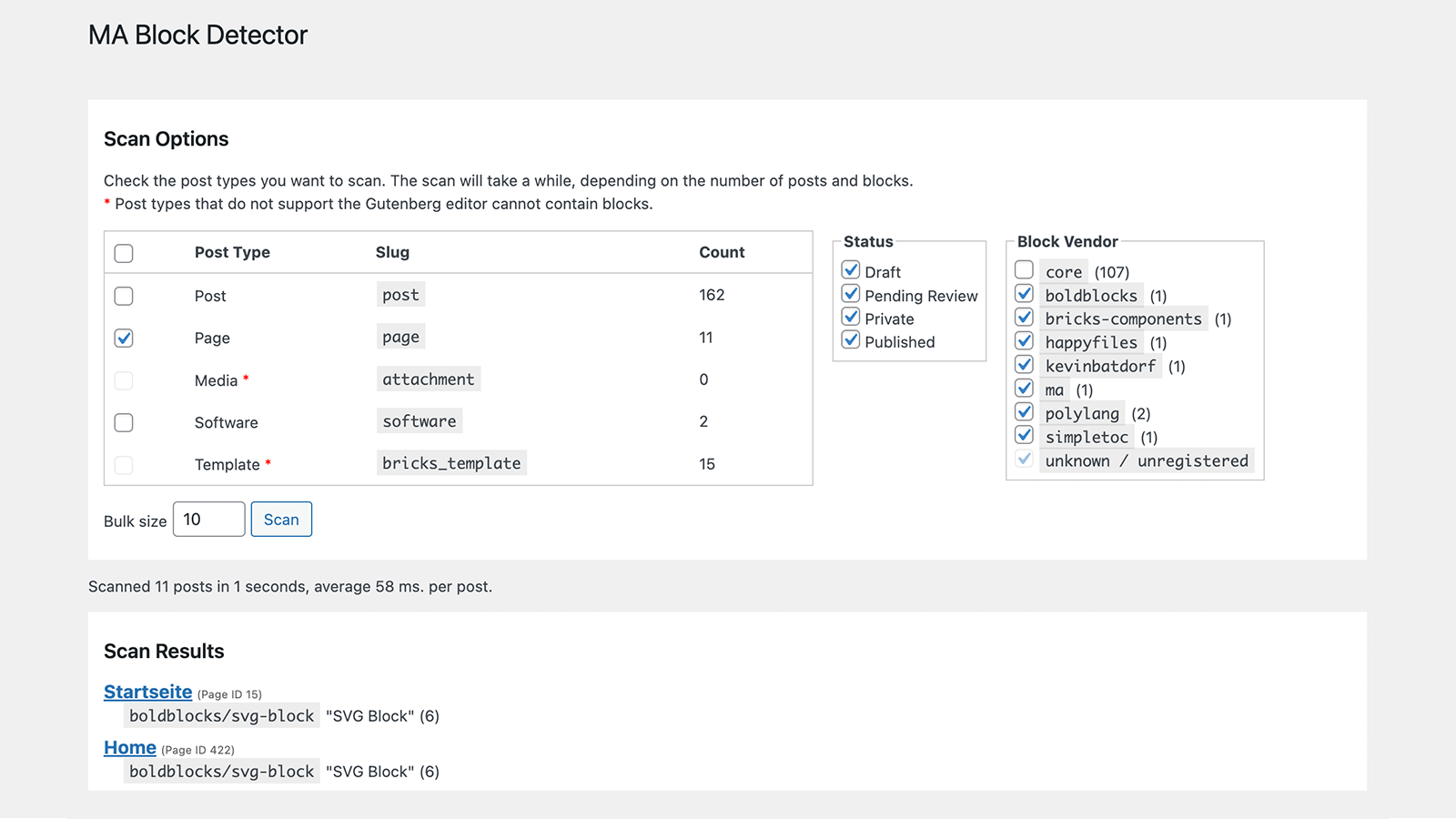
MA Block Detector allows you to quickly search for instances of specific blocks.
After selecting which content types to search and which block types to detect, MA Block Detector scans this content and displays the results. With a single click, you can go directly to the editing page for the respective content.
The Scan
To access this feature, go to Tools > MA Block Detector.
Supported Post Types
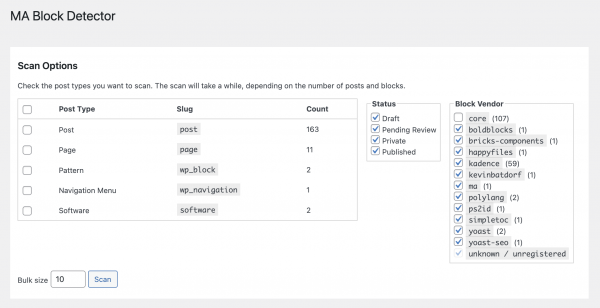
MA Block Detector identifies content types that can be checked based on the following criteria:
- Is not an excluded content type
WordPress itself registers certain content types, such as “oEmbed Response” (oembed_cache) and “Global Styles” (wp_global_styles), which definitely cannot contain blocks. These do not need to be checked. - Content (regardless of status) exists
If no content of this type exists, no check is required. - Content type supports the Gutenberg Editor
Content that, according to its registration, does not support the Gutenberg Editor does not need to be checked.
Custom post types are explicitly supported, provided they are properly registered and meet the above criteria.
Supported Statuses
MA Block Detector supports the standard WordPress statuses “Draft,” “Pending Review,” “Private,” and “Published”.
It also recognizes statuses that may have been added by third-party solutions and are properly registered in WordPress.
Supported Block Types
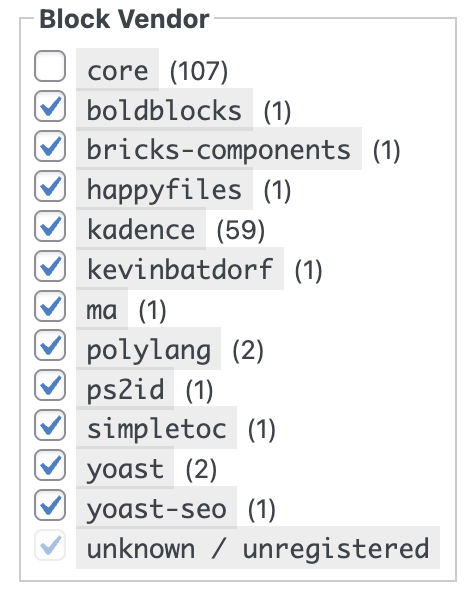
In addition to searching for standard WordPress block types, MA Block Detector also allows you to search specifically for third-party block types. Since third-party providers often register numerous blocks in their plugins, the selection is limited to the third-party provider’s identifier.
The number of registered block types is displayed in parentheses.
Some third-party providers register block types dynamically at runtime when used in Gutenberg. MA Block Detector groups these as “unknown / unregistered”.
Start Scan
The scan itself is performed in batches (groups of multiple posts).
The size of the batches can be specified using the “Bulk size” input field.
The “Scan” button starts the scan.
Display of Results
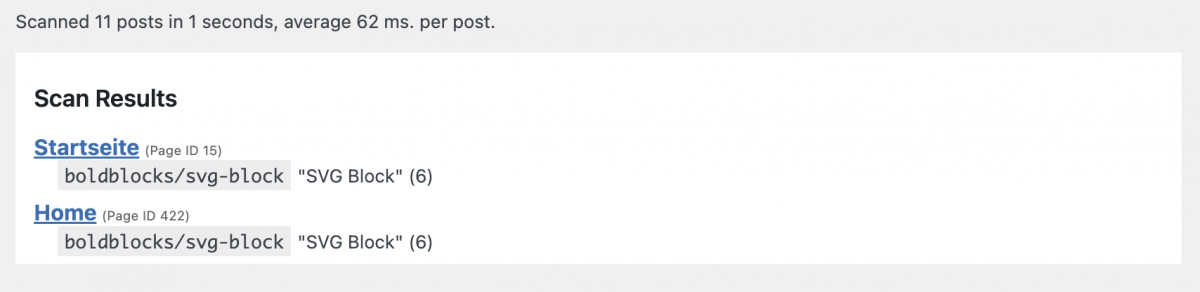
Once all content has been checked, the results will be displayed.
The list includes the content title, content type, ID, and the blocks found, along with their count.
Clicking on the content title takes you directly to the edit page.
Software Installation and Updates
Installation
The software can be installed using various methods:
Plugin:
The software is available as a plugin (ZIP archive) and can be installed in WordPress as a plugin.
Code Snippet:
The software can be run as a code snippet.
For the “Code Snippets” and “Advanced Scripts” plugins, a JSON file is available for download that can be directly imported there.
PHP:
The software can be downloaded as a PHP file.
This PHP file can be used in other code snippet plugins (copy & paste the code) or be included in your own WordPress child theme (require_once('path/to/the.php');).
Updates
The software automatically checks for available updates:
Plugin:
The update process follows standard WordPress methods: It checks for a new version every 12 hours.
The update can then be performed manually or automatically.

Code Snippet & PHP:
The software implements a special method that checks for updates even when installed as a snippet or PHP include. As with plugins, the check interval is set to 12 hours.
If a newer version is available, a notification will be shown in the admin area.

Download
Donation ❤️
I enjoy developing software and solving typical requirements with them.
The software is provided for free use.
If you like, you can honor my many hours of work with a small coffee donation via PayPal.
When clicking the button, a connection to PayPal is established.
Your donation will, of course, be taxed properly by me.
Disclaimer
I have developed and tested this software to the best of my knowledge.
I provide the software for free use.
I cannot give any guarantee for the functionality because of the countless possible variations in WordPress environments.
Download and use this software at your own risk and responsibility.
Change Log
- Version 2.1.0August 21, 2026Requires At Least WordPress: 5.8•Tested Up To WordPress: 7.1•Requires PHP: 7.4
New Features:
- Scan for block attribution by plugins "Attributes for Blocks", "Blocks CSS".
This scan checks posts for the usage of block attributes or block custom CSS.
Tested:
- WordPress 7.1
- Bricks 2.3.11
- Scan for block attribution by plugins "Attributes for Blocks", "Blocks CSS".
- Version 2.0.1May 21, 2026Requires At Least WordPress: 5.8•Tested Up To WordPress: 7.0•Requires PHP: 7.4
Tested:
- WordPress 7.0
- Version 2.0.0Download not available.May 18, 2026Requires At Least WordPress: 5.8•Tested Up To WordPress: 6.9.4•Requires PHP: 7.4
New Features:
- Now available as Code Snippet, Include, and Plugin with automatic update check.
For snippet or include, checks for updates every 12 hrs (same frequency used by WP for plugin updates),
and shows update notice in admin area, dismissible for 12 hrs. Can also be checked manually on the Settings page.
For plugin, WordPress standard update mechanism is used. - Improved detection of scan-worthy post types by selection all and filtering all with no posts, no editor support,
or included in the list of non-block content like oembed_cache, wp_global_styles, etc.
Changes:
- Renamed from "MA BlockFinder" to "MA Block Detector"
- Reorganized HTML structure of tools page
- Scan results now show post type and ID
- Now available as Code Snippet, Include, and Plugin with automatic update check.
- Version 1.5Download not available.February 13, 2026Requires At Least WordPress: 5.3•Tested Up To WordPress: 6.9.1•Requires PHP: 7.4
Changes:
- Initial page: Post count now contains publish, draft, pending and private posts.
Implemented scan_post_regex to compare speed parse_blocks vs. regex. Made no difference.
- Version 1.4Download not available.October 11, 2025
Changes:
- Added detection of Bricks block components
- Version 1.3Download not available.July 11, 2025
Changes:
- Fixed "file not found" bug in ajax_scan() when trying to get plugin name from plugin file
- Version 1.2Download not available.June 23, 2025
Changes:
- Adapted version number to support deploy.php version detection
- Added class constants for title, slug, code and version
- Added Script Details method
- Added statistics for runtime and scanned posts
- Added block type labels filter
- Version 1.1Download not available.May 3, 2025
UI improvements, added block vendor filter
- Version 1.0Download not available.December 18, 2023
Initial version